BatchPCB


Swiftech H2O-220 Apex Ultima

Posted


Category


Author

2009-06-15

Watercooling

Chris Fredriksson

Manufacturer

Supplier


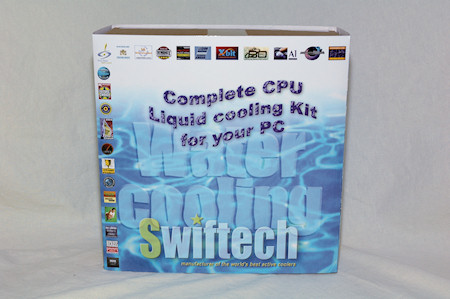
The package we are having a look at today is the H2O-220 Apex Ultima from Swiftech. This package consist of the following main parts.

  • Apogee GTZ, CPU-block
  • MCR220-QP, radiator with dual 120mm fan installed
  • MCP665-B, pump
  • MCRES-Micro Rev 2, reservoir

Quick note; There is also a "plus" kit which features northbridge and gpu cooling blocks together with passive heat sinks for your graphics card.

The above components are accompanied by eight feet of PVC tubing, Arctic Ceramique thermal past, Hydrx coolant additive from Swiftech as well as Smartcoils 625 Blue, MCB-120 Radbox and two pairs of 5V connector cables and two pairs of 7V resistor cables, both cables are for the fans on the radiator to lower the voltage and therefore the speed and noise.

There is also lots of accessories included like tube clamps, Velcro tape, screws of all sorts and a fastening kit for the reservoir.


The CPU water block, the Apogee GTZ, was pre-fitted with a socket 775 mounting kit but we also received a Core i7 kit. Therefore we will test this kit on both socket 775 and 1366. You can also use this water block with AMD sockets, but then you need to get the socket kit for the socket you need.

Apogee GTZ has a CNC drilled copper base with small, really small fins that transfer the heat from the CPU into the water, they are however not large enough to hinder the water pressure through the water block which is good.

On top there is a hard plastic cover where you install the barbs. They are not very close to each others so the installation of the tube clamps should be easy. Also note that this water block comes with a designated inlet and outlet, this is shown by a small drilled dot on the water block, just under the G if you take a look on the picture.




These two above pictures were taken from the Swiftech website and are copyright Swiftech.

My first water-cooling kit came from Dangerden, a competitor to Swiftech, several years ago and they used a similar mounting kit as Swiftech use for the Apogee GTZ. However Swiftech has improved and made the installation way easier than it was a few years ago.

Back with the Dangerden you had screws without caps and you had to secure it on both sides of your motherboard with nuts, then put the water block in place, put washers onto that together with springs and then use another set of nuts to secure the block in place.

Since then much has happened, there are probably still water blocks that are installed like that but Swiftech has been kind enough to develop this new kind of retention kit which reduces the steps to the following.


For socket 775 and 1366, put a base plate under the motherboard with insulating washers, turn the motherboard around and put the water block in place and start screwing it down with the thumbscrews. There is also a Philips head if you want to tighten it really hard, but it's not needed if you tighten it enough with your fingers.

From taking 10 minutes, to just 2-3 minutes. Well done Swiftech!

Ok, I might be a little bit outdated on the installation kits as I haven't used water cooling since 2004-2005. But that's my story about water cooling however ;)

Flipping the water block over we see the beautiful copper base, with a very smooth mirror finish. This will increase the heat transfer from the CPU to the water, much more than if the base had dents, scratches or CNC drill circles all over the base.


Furthermore we have the pump. This pump is named "MCP665-B" and is, at the time of this review, the most powerful pump Swiftech offers. It operates at 12V with a 12V Molex power connector. It draws 2 Amps and generates 24W, it is brushless which should make the pump quiet. Its working temperature range is between 0 and 60 degrees Celsius.

Finally it can pump 1200 liters per hour, which translates to 20 liters per minute. Back in the day I had an Eheim pump, capable of just half that figure.

Comparing to the aquarium Eheim pump I used this pump looks more sturdy and unbreakable with built-in in- and outlets into the molded outer case of the pump. This is my first encounter with this pump and just by the feel and looks this pump must be a beast and we'll see more off that on next page.

As mentioned the pump is connected with a 12V Molex connector, but there is also a blue wire connected to a 3-pin fan connector. This is however not used for controlling the speed but to read the speed of the pump, if you have a fan controller with a built-in display to show the figures, or if you want you can connect it to your motherboard to read the values through software in your operating system.

Next part in the package is the reservoir.

This reservoir is named "MCRES-Micro Rev 2" and as the name says this is Revision 2 of the reservoir. The main difference to the earlier version is the bottom outlet port which can be used to connect the reservoir to the pump for example.


We find a filling port on the top of the reservoir and two ports on the side. One of these ports should be used as an inlet port and the other can either be used as an outlet port if you're for example is short on space or it can be locked when you use the bottom port, which I would recommend.

The plastic part inside the reservoir is there to help kill the vortexes from the inlet, at the same time as it helps reducing the addition of air bubbles when refilling the reservoir from the fill port up top.

Also to help filling the system a filler has been included, not really needed but very nice indeed that Swiftech has thought of that!


Last thing in our package is the radiator and it's name is "MCR220-QP". The number 220 in the name shows the size of the radiator and this radiator has the space for 2x 120mm fans on each side. More than two fans installed is however not needed if you're not after some hardcore overpressure going through the radiator.

Two fans are installed already, all black and running with none to low amount of noise on low speed (5V) and a bit noisy on 12V. Somewhere in between, around 7V really is recommended for a balance between noise and performance. We'll see more on that on next page when we test the kit.

This radiator comes with a "rad-box" which is fitted onto the radiator already when it arrives in the package. This "rad-box" makes it possible to mount your radiator on the outside of your computer case which is perfect for computer cases that have those pre-made holes for water-cooling where you can run your tubes through.

You can also remove the rad-box and install the radiator for example in the top of your case on some cases, like the CM Storm Sniper.

Something a bit more interesting about the radiators from Swiftech is that you can fit another radiator onto the one that comes with the kit. For this kit the radiator you should be looking for is the " MCR220-QP-STACK".

We've covered this earlier in the news and this seems like a good way to add cooling capability to an existing system. Especially if you would like to cool your high-end graphics card together with your CPU, even more so if you have several graphic cards and perhaps an hdd cooler. All in all, if you have several components that you want to cool with water-cooling it is better to either have a very large radiator with good cooling or use these new add-on radiators from Swiftech.


Picture above were taken from the Swiftech website and are copyright Swiftech.

Product link for the radiator, with information about the stack version.
http://www.swiftnets.com/products/MCR220-QP.asp

After the walk-through of the components I must say that I believe we have a kit that may perform very well. The components has been chosen carefully to not give the users some standard average performing pieces, most if not all the things included in this package feels solid and unbreakable.

For example the thought of using only copper in the package for cooling components is great, no risk for corrosion between different metals. The radiator as far as I know is always made out of copper, which you also can see if you accidentally scrape off some of the black paint.

The water cooling block is made out of copper and plastic and the reservoir and pump is all plastic. The tubes we get with the kit is also thicker than many I've seen, even if you can buy your own in any hardware store to replace the ones that comes with any kit of your choice.

Thanks to the coils that comes with the kit you can also bend the tubes pretty much without making them collapse which is great. I've always wondered how those worked and were skeptical until I had the chance to test them out myself.

So now it will be very fun to test the kit on both the Intel 775 and the Intel 1366 sockets to see how it performs.

<- Previous page Next page ->


"Favourite" tools for: Swiftech H2O-220 Apex Ultima


User Comments, for review: Swiftech H2O-220 Apex Ultima
No comments posted, be the first to write a comment!


Write a comment
You must be registered and logged in to post comments.
Login | Register


Affiliate news
OCZ Technology Shutters Hypersonic-PC

> Techgage

OCZ Technology Shutters Hypersonic-PC
Over the past few months, it's become increasingly clear that OCZ has shifted its focus more towards its core products, and as a result, the company will no longer invest in things like cooling products, peripherals and so forth. Rather, it will focus on SSDs, memory and of course, power supplies. As I made my earlier post, I had wondered what OCZ's renewed focus would mean for Hypersonic-PC, and that was made clear to me earlier today.
OCZ Vertex Turbo 120GB SSD

> Techgage

OCZ Vertex Turbo 120GB SSD
Making the decision to upgrade to an SSD isn't difficult, but finding the "perfect" SSD is a different story thanks to the sheer amount of choice out there; sometimes even from the same vendor! Fortunately, OCZ's Vertex Turbo delivers a great blend of performance and GB per dollar, making it well worth consideration.
HIS Radeon HD 5670

> Tweaknews

HIS Radeon HD 5670
The HIS Radeon HD5670 is a very capable card for the cheap price of only US$89 at your favorite online retailer. Although it is not a screamer, at almost half the price of a HD5750, for the moderate gamer, it could be considered quite a deal for a videocard sporting such an impressive stock cooling solution.
4-Way Intel H55 Motherboard Shootout

> TechSpot

4-Way Intel H55 Motherboard Shootout
Right now there are a number of quality options for budget-conscious users looking to build a new computer. The AMD Phenom II X2 processor series, for example, will get you a fine deal of processing power at just $110 for the 3.2GHz flagship part. Combine this with the affordable AMD 785G based motherboards selling for around $70 and you have the makings of a seriously good value platform. However, if you are willing to part with a little more cash, then the new Intel Core i3 series might be the way to go. When compared to the dual-core Phenom II X2 555, consumers will pay about $20-$30 more for a Core i3 530 processor, while compatible Intel H55 motherboards are on average $20-$30 more than the AMD alternative as well. There are a number of H55 motherboards available at reasonable prices, so picking one for your next build is no easy task. Our round-up comprises 4 Intel H55 based motherboards from the likes of Asrock, Asus, ECS, and Gigabyte. With a narrow price range between $90 and $105, it all comes down to features and performance.
CiragoTV Pro CTP1000 Multimedia Player

> TestFreaks

CiragoTV Pro CTP1000 Multimedia Player
I’ve taken a look at a few media players here on TestFreaks and most are fairly decent and honestly they’re all pretty similar at least in the interfaces. Today for review I’ve got another one from Cirago called the CiragoTV Pro CTP1000. It’s a media player with HDMI, Component and Composite outputs so you can use it with any TV and it includes a 500gig hard drive for you storage. The CTP1000 also has a memory card reader and a USB port so you can read directly from memory cards, USB flash drives or USB hard drives so you can expand the storage or quickly view things without transferring them to the main hard drive. One thing about this product though is that it’s UBS only for transfers, there’s no networking with this unit, is that a good thing or a bad thing? Read on..
Able Planet True Fidelity NC300B

> Tweaknews

Able Planet True Fidelity NC300B
Able Planet as a company has really piqued my interest, too. They are committed to providing headphones for people with all levels of hearing. The Linx Audio technology aids in this by enhancing high frequency sounds where clarity is often lost in the early stages of hearing loss.
Customize Your Windows 7 Start Menu Bu

> TechSpot

Customize Your Windows 7 Start Menu Button
Windows users have been customizing their desktops in a variety of ways for years. Whether by downloading themes and backgrounds, or using third party applications to change more obscure settings like the default logon screen, many people seem intent on personalizing every aspect of their operating system to something that fits their individual taste. And what better to alter than an icon that's always visible? While we don't mind the Windows 7 Start Menu icon, and actually feel it's somewhat of a leap from the rectangular buttons of old, swapping out the orb for a new icon is quick and painless with the help of Kishan-Bagaria's Windows 7 Start Orb Changer. It even comes with a few examples to get you started.
Patriot Gamer-Series DDR3-1600 Memory

> Benchmark Reviews

Patriot Gamer-Series DDR3-1600 Memory Kit
Overclocking is getting easier than ever, and more and more users are finding that they want to try their hand at what used to be an art reserved for hardcore computer enthusiasts. In this article Benchmark Reviews tests the Patriot Gamer Series 4GB PC3-12800 DDR3-1600 dual-channel system memory kit, SKU PGS34G1600ELKA. Patriot designed this DDR3 kit to work with BEMPs (Black Edition Memory Profiles) that have been uploaded for use with the AMD Overdrive program in order to make overclocking even easier for the average enthusiast. This Patriot Gamer Series DDR3 RAM is designed to work in tandem with AMD Black Edition processors, but can be overclocked quite effectively in nearly any DDR3 compatible system. Priced at $130, the Patriot Gamer Series PC3-12800 DDR3-1600 kit represents a great opportunity for PC hardware enthusiasts to upgrade to low latency, high-performance memory at a very affordable price.
Cooler Master GX 550W Power Supply

> Vortez Hardware

Cooler Master GX 550W Power Supply
Cooler Master announced the GX series at the end of January and was showcasing these products to the world at CeBIT just last week. The GX series stand for Gamer Xtreme and comes in three power ratings - 550W, 650W and 750W hoping to target mid-range to high-end gaming systems by offering a single +12V rail designed to provide sufficient power to dual graphics card systems such as CrossFireX and SLi. The 750W version even comes with four PCIe connectors.
Cooler Master CM 690 II Advanced

> Tweaknews

Cooler Master CM 690 II Advanced
After going over the features and specifications of the CM 690 II Advanced chassis prior to the review, I had high hopes for the case. I wasn't disappointed. Cooler Master has taken the 690 design to the next level in virtually all the important areas.
Partners
Affiliates